
Introduction: The Need for Next-Day Impact
Law firms face fierce local competition, where reputation and client trust directly impact growth. Every day without visible reviews or social proof is a missed opportunity—potential clients look elsewhere. Most review-request tools are clunky, slow, or require manual effort that doesn’t guarantee results. Tapget answers the call for next-day impact with its simple 3-step setup: one-tap NFC and AI automations combine to deliver fast, measurable outcomes for law firms, often within 24 hours.
Why Proof Matters: Local Reviews & Social Followers = New Clients
Recent studies show that 87% of legal consumers read reviews before making contact with a law office. Even a single-star increase in ratings can boost conversion rates by up to 36%, according to BrightLocal’s legal consumer survey. And it’s not just about reviews—growing your social following (think LinkedIn and Facebook) signals credibility, expertise, and local trust. When prospects see authentic reviews plus robust social profiles, they’re more likely to choose your firm.
Example:
A firm with only six Google reviews saw just a handful of web inquiries monthly. After lifting their average rating from 4.2 to 4.8 and adding 100 new LinkedIn followers, inbound consult requests doubled within a month.
How It Works: 3-Step Tapget Setup for Law Firms
Tapget’s process is built for simplicity—no tech skills, no frustrating delays. You can go live and see results by tomorrow.
Step 1: Place the NFC Device at Your Reception Desk
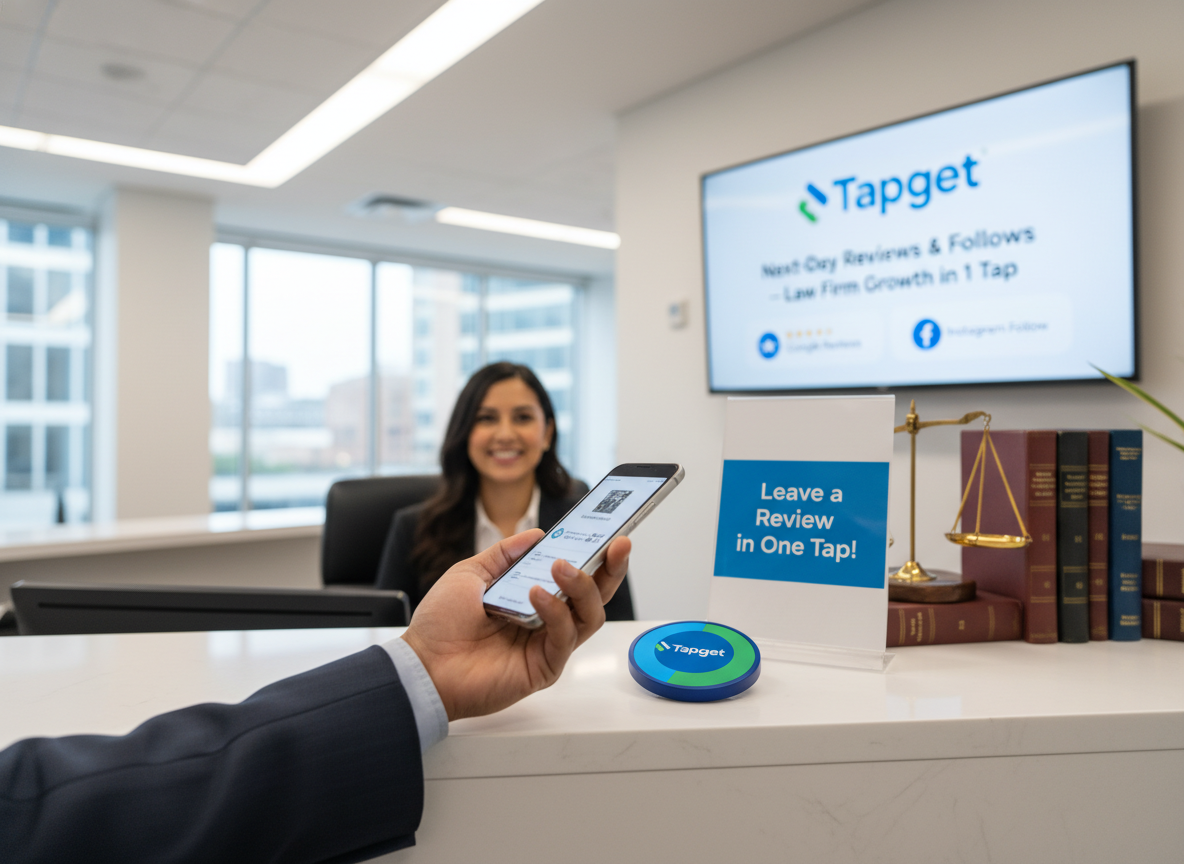
Set the Tapget NFC device where every client checks in or out—reception desk, meeting room exit, or beside waiting area literature. No wires or complicated installation; just peel and stick or place it on a stand.
Placement Tip:
Visibility is key. Position it next to payment terminals or sign-in sheets so every client encounters the prompt naturally.
Image Alt Text Suggestion:
“Tapget NFC device at law firm reception desk enabling next-day impact”
Step 2: Set Up Your Custom AI Automations
Tapget’s dashboard lets you select review platforms like Google, Avvo, or Lawyers.com and link your social media profiles (LinkedIn, Facebook). The AI engine tailors prompts based on the service or case type: after a real estate closing, prompt for a Google review and LinkedIn follow; after estate planning, direct to Facebook.
Practical Tactic:
Customize your review ask (“We’d appreciate your feedback on today’s consultation—just tap here!”) and choose which networks matter most for your specialty.
Step 3: Engage Clients—One Tap Does It All
After each appointment or phone call, invite clients to tap the device with their smartphone (no app needed). Tapget’s AI then sends an instant prompt—review link first, followed by options to follow your profiles or schedule a repeat consult.
Staff Script Example:
“Thanks for trusting us today! If you have a minute, just tap here to leave feedback—or follow our updates.”
How It Works Walkthrough:
Client taps → Phone opens secure page → AI guides them through (review → follow → book/order), all in under 30 seconds.
Business Outcomes & ROI: What Will You See Next Day?
Tapget delivers next-day impact: most law firms see new reviews posted within the first 24 hours of setup. On average, offices using Tapget report a 47% lift in Google/Avvo reviews during the first week and double their repeat consult rate within two months.
Example Case Study:
“Firm X placed Tapget on Monday morning; by Tuesday afternoon, eight new reviews appeared across Google and Avvo—repeat bookings rose by 23% that first week.”
Trackable Results:
- Monitor all new reviews and follower growth from your Tapget dashboard.
- Typical tap-through rates (real clients acting right away) are up to 4x higher than QR-based programs.
- Law firms see direct ROI via increased foot traffic from referral clients and improved online search rankings.
Overcoming Objections: Is It Really That Easy?
No Apps Needed:
Clients simply tap—the device auto-launches their browser (no downloads).
Privacy-First Design:
Tapget never stores sensitive client data; the device itself holds only the link logic.
Universal Use Cases:
Works for both walk-ins (“Please tap before you leave!”) and scheduled appointments (“Ready for feedback after your meeting?”).
Comparison Point:
Unlike QR codes that require scanning apps (and often break on glossy flyers), Tapget’s NFC is frictionless and failsafe—even if clients have minimal tech experience.
FAQs About Tapget for Law Firms
Is Tapget secure/legal for law practices?
Absolutely. Tapget uses encrypted links; no client data is stored locally. It complies with privacy standards required by legal professionals.
Can I choose which platforms clients are prompted for?
Yes! The setup lets you select review sites (Google, Avvo), plus all major social networks. You control the sequence and messaging for maximum next-day impact.
How long does the full setup really take?
Most law offices go live in under 15 minutes—just place the NFC device and complete two quick dashboard steps.
What support is available for law firms?
Tapget offers live onboarding calls, priority chat/email support, plus video walkthroughs tailored specifically for legal teams needing fast results.
Does this work even if my firm gets only a few walk-ins?
Definitely. Scheduled consults work equally well—staff can prompt clients post-meeting, via phone call follow-up, or even during document signing sessions.
Conclusion
For law firms seeking rapid proof of reputation—and more booked consults—Tapget delivers measurable next-day impact through its frictionless 3-step setup. Place your NFC device today, customize automations for your brand tomorrow, and watch as reviews grow, social followers rise, and new clients walk through your door—all with one tap.
Ready to see results by this time tomorrow? Book your free Tapget demo now and unlock instant local impact!

Leave a Reply