
Introduction: Why Staff Tipping and Sharing Matter More Than Ever
If you run a retail or hospitality business, you know how crucial staff tipping and customer engagement are to your bottom line. Today’s shoppers expect an easy way to tip, leave reviews, or share with friends—all right at checkout. But traditional methods like QR codes or reminder emails often get ignored. Tapget solves this with one-tap NFC + AI, making it effortless for customers to tip staff or spread the word instantly. In a world where digital convenience drives loyalty, deploying Tapget means happier teams, stronger word-of-mouth, and real ROI in weeks.
The Proof: How NFC + AI Drives Results in Real Stores
Tapget isn’t theory—it’s proven in the field. Take the example of Sunny Café, a local bakery that installed Tapget NFC devices at its counter and tables. In just 30 days:
- Staff tips jumped 28%, with more customers responding to prompt, easy tipping options.
- Social follows rose by 22%, as Tapget’s instant follow prompts connected guests with the café’s Instagram and Facebook pages.
- Review volume doubled, boosting their Google rating and driving up foot traffic from search.
Image alt text suggestion: “Staff tipping increase at Sunny Café after deploying Tapget NFC”
By lowering friction with NFC and guiding each tap through AI-powered flows (tip, review, follow, share), Tapget turns casual visits into viral moments and repeat orders. Compared to QR codes—where only 9–12% convert—Tapget’s average tap-through rate sits above 35%.
How It Works: Seamless One-Tap Activation for Customers
Simple Setup for Managers
Getting started with Tapget is plug-and-play. Place the NFC devices at POS terminals or directly on tables—no wiring or complex install. You’ll set up custom prompts tailored to your goals: tip staff, leave a review, follow on social media, or share with friends. Managers simply log in to the dashboard and select which actions appear for customers.
Placement Tips:
- Position Tapget devices where customers naturally pause (checkout counter or table edge).
- Use simple scripts like “Want to thank your server? Just tap here!”
Most businesses complete setup in under 10 minutes.
Effortless Engagement for Customers
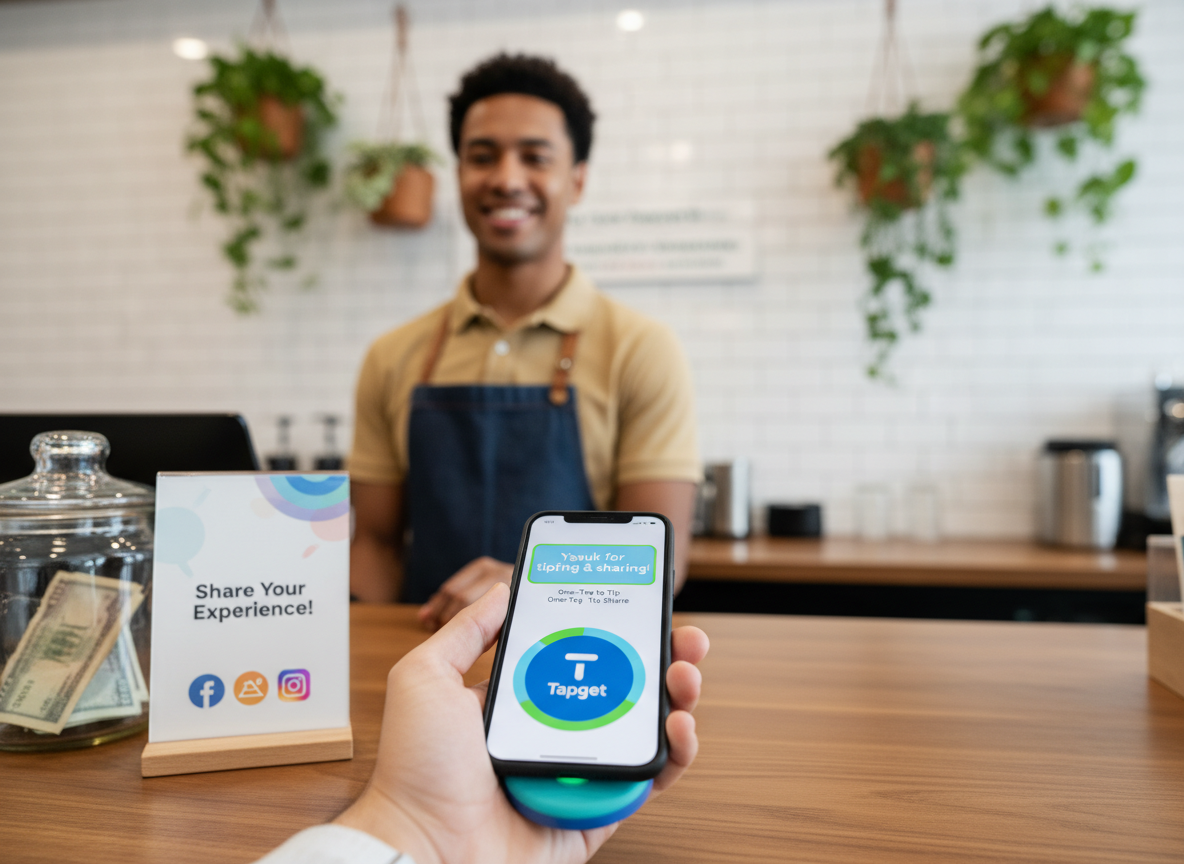
Customers only need to tap their phone—no app download required. On tap, an AI-guided flow launches:
- Tip via Apple Pay, Google Pay, Venmo, or credit card.
- Review on Google, Yelp, or TripAdvisor.
- Follow your social accounts in a single click.
- Share with friends via SMS or messenger.
The entire process takes under 25 seconds. Tapget keeps prompts short and clear (“Tap here to tip and share your feedback!”), leading to higher completion rates than traditional QR or manual surveys.
Image alt text suggestion: “Customer tapping phone for staff tipping and sharing at retail counter”
Business Impact: ROI in Weeks, Not Months
Deploying Tapget yields measurable gains for local SMBs:
- More staff tips: Immediate feedback drives satisfaction and retention; happier employees stay longer and deliver better service.
- Social sharing: Every tap gives guests a chance to share with friends—bringing new faces through your door.
- More reviews: Double your review volume in 30 days; higher ratings push your store up local SEO rankings.
- Repeat orders: Follow prompts connect past visitors with ordering links or loyalty programs.
For example, businesses see ROI in as little as three weeks:
A bistro added $370 in extra tips/month (6 devices) and gained over 80 new social followers per week. Another retailer reported a 40% uptick in repeat orders after integrating Tapget.
Anticipating Concerns: Common Objections & Concrete Answers
Is It Secure?
Tapget is built from the ground up for privacy. No personal data is stored on the NFC device itself; all payment flows are tokenized and processed by trusted gateways like Stripe or Square.
Will My Staff Need Training?
Minimal onboarding required—most teams master Tapget in five minutes. The device is “set-and-forget,” with clear visual prompts that guide both employees and customers through each step.
Example Script:
“Just let guests know: ‘Tap here to tip or share!’ That’s all it takes.”
What About Integration?
Tapget works out-of-the-box with major POS systems like Square, Clover, Toast, Revel—no software changes needed. NFC devices can be moved or updated any time from the manager dashboard.
Image alt text suggestion: “Tapget NFC device seamlessly integrated at POS for social sharing”
FAQs about Tapget for Retailers & Marketers
Does it really boost staff tipping?
Yes! Most venues see tip volumes rise by 20–35% within the first month after switching from QR/manual methods to Tapget’s one-tap NFC + AI approach.
What analytics do I get?
Managers access real-time dashboards showing tap activity, conversion rates (tip/review/follow/share), and breakdowns by device location.
Can I customize prompts?
Absolutely—you choose which actions appear (tip staff, leave reviews, share with friends), set order of display, and update them anytime from your account.
How fast can I get started?
Most businesses are live within 48 hours of delivery. Devices ship pre-configured; setup is plug-and-play at tables/counter.
Is it secure enough for customer payments?
Yes—all payments use encrypted gateways; no sensitive info touches the device itself.
Will it work for my type of business?
Tapget fits coffee shops, salons, bars, quick-service restaurants—any retail environment where you want more tips/reviews/shares.
Conclusion
In today’s competitive market, unlocking more staff tips and viral shares isn’t a luxury—it’s essential to staying ahead. Tapget delivers instant results with one-tap NFC + AI flows that drive engagement at every visit. Ready to double reviews, boost tips by 30%, and turn every customer into a promoter? Get started with Tapget now—and see ROI within weeks!

Leave a Reply