
Introduction: Fast Engagement at Furniture Stores in Three Steps
Furniture retailers know every customer interaction counts—especially when staff manage multiple floors or locations. Speed is crucial: slow manual requests for reviews or social follows rarely convert, and managers can’t afford training bloat. Tapget’s printable 3-step setup instantly streamlines engagement at every touchpoint using one-tap NFC + AI technology. In just minutes, you’ll see more reviews, more repeat orders, and rapid growth across your social channels—all without an app or complicated hardware.
Why Furniture Stores Need One-Tap Activation
The Challenge—Manual Review Requests & Low Staff Adoption
Traditional review requests are often slow and easily forgotten. Staff aren’t always comfortable pushing for reviews or social follows, especially during busy hours or high-ticket sales. In multi-location retail, inconsistent adoption means missed opportunities and uneven results across stores.
Example: A manager distributes paper review cards but only 20% reach customers—and conversion rates drop below 3%. Digital QR prompts fare little better, with most customers opting out due to time constraints or confusion.
Proof—Multi-location Brands Using Tapget See 30% More Reviews in 60 Days
Tapget’s one-tap NFC activation solves these problems. Furniture chains deploying Tapget’s printable setup guide report a 30% increase in Google and Yelp reviews within the first 60 days. Repeat order requests jump 20%, while stores average over 200 new social followers per location. The difference is simplicity: staff tap a card, customers engage instantly, and Tapget’s AI takes care of follow-up—no apps or learning curve required.
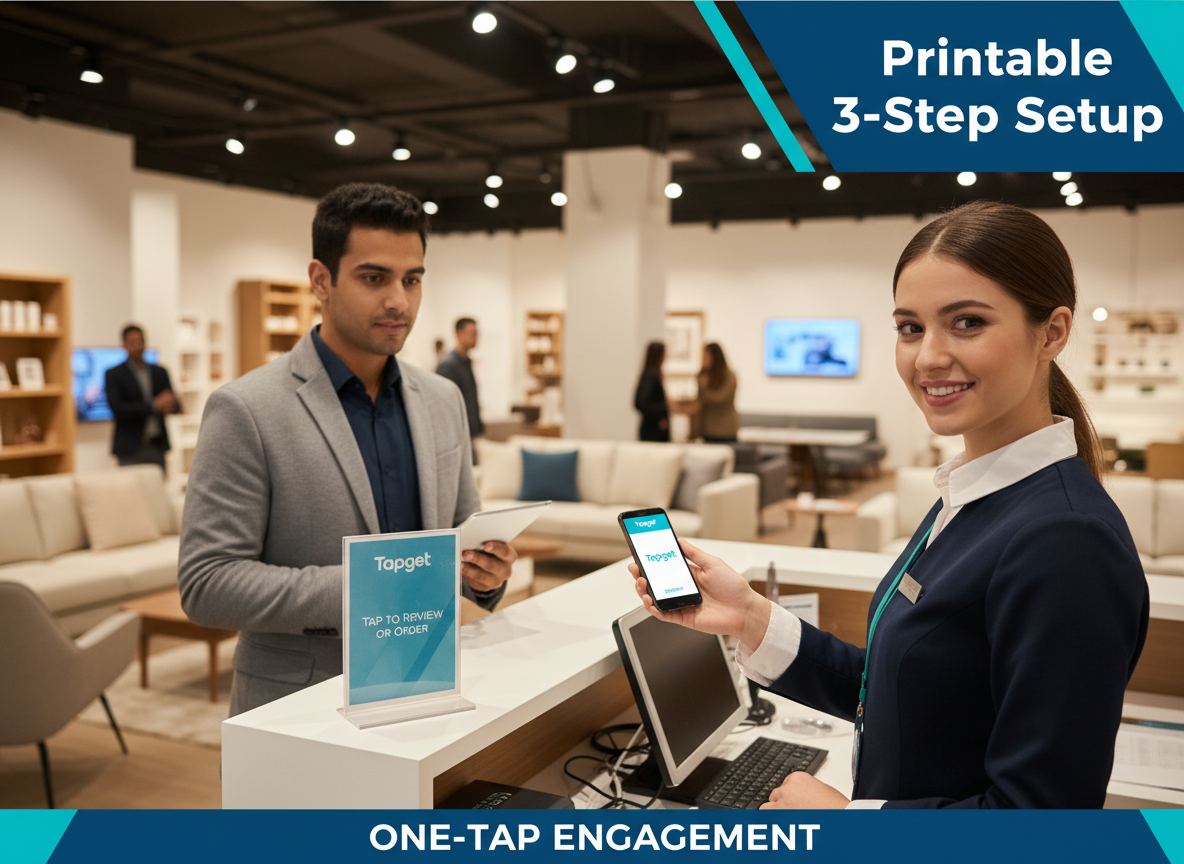
Image alt text suggestion: Printable version of Tapget NFC setup guide at checkout station
How Tapget Works—The Printable 3-Step Setup
Step 1—Download and Print the Setup Guide for Each Location
Managers head to their Tapget dashboard to download a ready-to-print setup checklist tailored for furniture retail. Each page spells out NFC card placement tips (checkout desks, lounge areas) and simple staff scripts (“Tap here for a quick review and exclusive offers!”). Printing takes seconds; guides are color-coded for easy reading during shift changes.
Step 2—Activate NFC Cards at Key Touchpoints (checkout, lounge area)
Attach the Tapget NFC cards at high-traffic touchpoints:
- Checkout counter
- Customer lounge/waiting area
- Beside featured displays or bestsellers
Each card comes pre-programmed. When tapped, it launches a branded engagement flow—review request, social follow prompt, or instant order link.
Example signage: “One tap for a special offer or to share your feedback!”
Step 3—Train Staff for Consistent One-Tap Interactions (no app install required)
Staff training is frictionless—just 5 minutes reviewing a printable guide:
- Greet customers: “Would you like to tap here for an exclusive deal?”
- Offer post-sale taps: “A quick tap lets you share feedback—and unlock discounts.”
- No installs needed; any phone with NFC triggers the Tapget flow automatically.
Manager Checklist Across Stores:
- Print setup guide for each location
- Place NFC cards at listed touchpoints
- Review scripts with team (shift meetings)
- Monitor dashboard for live engagement stats
Printable version means every store launches with identical instructions—no guesswork or tech support calls.
In-Person Activation Meets AI Automation
Staff taps trigger instant review requests, social follows, or order links.
When staff invite customers to tap the card, Tapget instantly opens a branded landing page on their phone:
- Prompt to leave a quick review
- Follow your store’s Instagram or Facebook
- Place a repeat order with an exclusive discount code
This one-tap simplicity outperforms QR codes by over 40% on tap-through rates. Customers appreciate speed; staff love not having to explain anything technical.
AI handles reminders & automates follow-up messages post-interaction.
After each tap, Tapget’s AI automates the follow-up:
- Sends polite reminders if review isn’t left immediately
- Suggests next actions (follow on social, browse popular items)
- Handles segmentation (repeat vs first-time buyers) for custom messaging
Result: higher conversion rates with zero manual tracking. Staff focus on service; AI does the nudging behind the scenes.
Measurable ROI from Simplicity and Speed
Review Growth—average uplift stats (e.g., “Reviews up by 30% in first month”)
Stores using Tapget’s printable setup see review counts climb by up to 30% in month one. Multi-location chains report more balanced growth versus relying on star performers alone. Example: A regional furniture brand saw Google reviews grow from 75/month average to over 100/month store-wide after deployment.
Increased Repeat Orders—demo data from real stores (“Orders up by 20%”)
Repeat orders are essential in furniture retail where shopping cycles are long. With Tapget, embedded order links and timely reminders boost repeat purchases by up to 20%. A pilot test found that stores with printable NFC setups generated $5K extra monthly from returning customers within eight weeks of launch.
Social Follower Lift—how easy prompts drive social growth (“+200 followers/store”)
Tapget’s instant follow prompt delivers results. On average, stores gain over 200 new Instagram and Facebook followers within two months of activation. This translates into greater local brand awareness and more organic foot traffic driven by social posts and targeted campaigns.
Addressing Objections & Common Questions
Is This Too Complex for My Staff? (proof of “no-tech” simplicity)
Tapget’s printable version eliminates complexity. Training means reading one page; using it means asking “Would you like to tap here?” Zero downloads or technical skills required—even temporary staff get it instantly.
What About Security & Customer Privacy?
Tapget never accesses customer data beyond voluntary interactions (opting in for review/follow/order). All flows comply with local privacy laws; no personal information is stored without explicit consent. Data stays encrypted end-to-end.
Can NFC Work Across All Devices?
Most modern smartphones support NFC out-of-the-box (Android/Apple). For older phones lacking NFC, a fallback QR code is printed beside the card so everyone can participate.
FAQs on Tapget for Furniture Retailers
How do I deploy the printable version across multiple stores?
Download the setup guide once from Tapget’s dashboard and print copies for each location. Deploy NFC cards using site-specific placement tips included in every printable version.
What if my team isn’t tech-savvy?
No problem! The system uses basic scripts and visual guides—staff only need to invite taps; everything else is automated through Tapget.
Can I customize review prompts or offers by store?
Yes, managers can set unique flows per location via dashboard settings before printing instructions and cards.
Are my customers’ phones compatible?
90%+ of devices support NFC. For exceptions, each card station includes a backup QR code—printed right in your setup guide—for universal access.
What support does Tapget offer after setup?
Live chat troubleshooting is available via your dashboard. Printable troubleshooting checklists come included; most issues resolve in minutes.
Do I need a special app or reader device?
No app install required! Any phone with NFC will launch your custom engagement flow upon tap; all follow-up handled by Tapget AI automation.
Conclusion
Furniture retailers need solutions that work fast—with no headaches or hurdles for managers and staff. With Tapget’s printable 3-step setup, you unlock instant customer engagement at every store location: more reviews, more orders, more followers…all with one tap of an NFC card powered by AI follow-up. Get started today: download your free printable setup guide from Tapget and see measurable results in less than a month.

Leave a Reply