
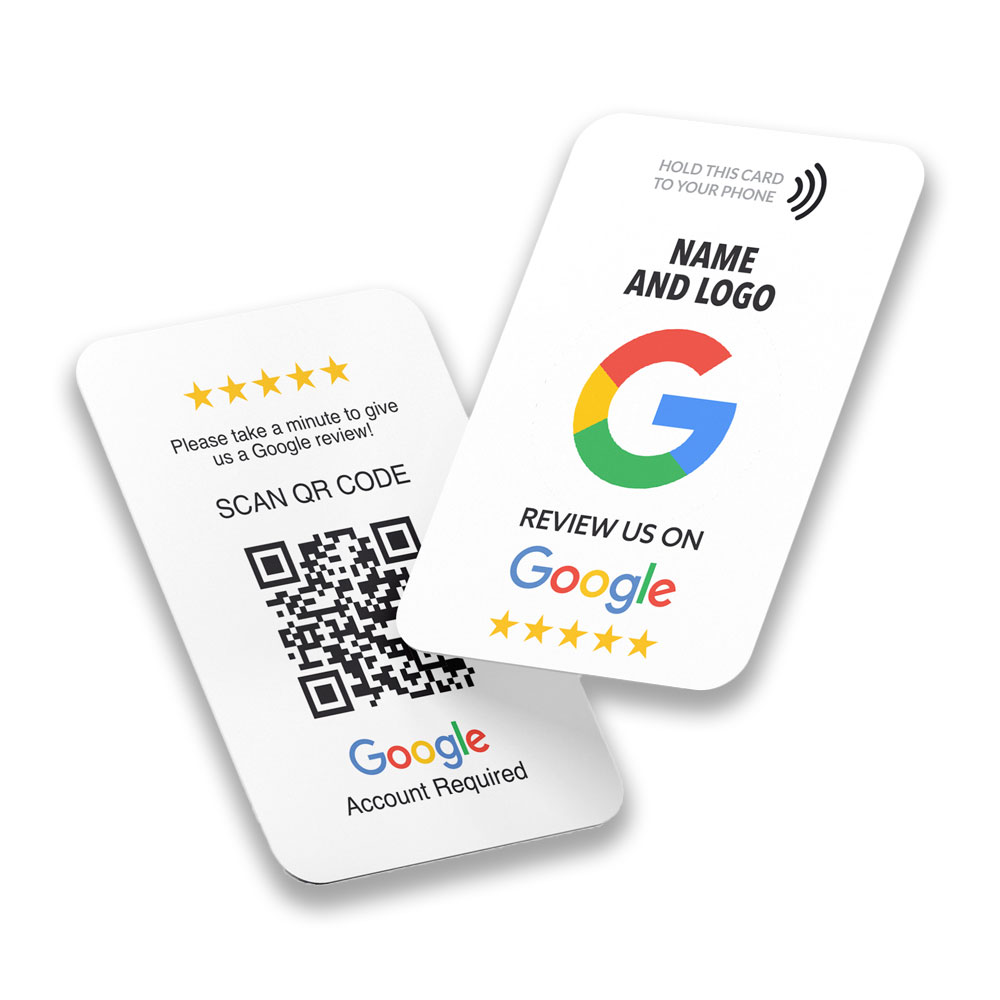
Local businesses struggle to get consistent, high‑quality reviews without nagging customers or breaking platform rules. NFC review cards turn that friction into one tap—driving more Google/Yelp reviews, social follows, orders, and memberships while keeping everything transparent and trackable.
Table of contents
- What Are NFC Review Cards and Why They Matter
- How NFC Review Cards Work
- Methods & Steps: Deploy, Measure, Optimize
- Placement checklist
- Staff scripts
- Pitfalls to avoid
- Measurement plan
- Tapget Implementation: One‑Tap Actions by Scenario
- Compliance: Google & Yelp Rules You Must Follow
- Mini Case & Prompt Templates
- FAQ
- CTA
What are NFC review cards and why they matter
NFC review cards are contactless prompts customers tap with their phones to open a pre‑configured review or engagement page. Compared to printing links or QR codes, NFC reduces friction, increases tap‑through, and expands beyond reviews to social follows, self‑ordering, memberships, coupons, WiFi connect, staff contact sharing, and tipping—all in one tap via Tapget.
Business pain points tied to NFC review cards:
- Low review volume and uneven cadence across locations.
- Staff fatigue with manual asks.
- Poor QR scan rates and device compatibility issues.
- Fragmented post‑purchase engagement (social, ordering, offers) not captured.
- Limited visibility into what actually converts.
Solution framework:
- Place NFC touchpoints at natural moments (paying, dining, waiting, pickup).
- Use AI‑configured one‑tap actions matched to context.
- Standardize compliant scripts and measure taps → completions → outcomes.
- Iterate placements and prompts monthly based on data.
How NFC review cards work
Customers tap their phone on an NFC card or sticker. Tapget recognizes context and launches a customized page aligned with the placement: Google/Yelp review link, social follow, self‑ordering, membership signup, WiFi connect, tipping, coupons/limited offers, buy deals, add staff contact, share with friends, subscribe to events, and lucky draw. Each tap is trackable, enabling conversion analytics and ROI reporting.
Methods & steps: Deploy, measure, optimize
Placement checklist
- Cashier counter: Reviews, social follows, coupons; ideal post‑payment moment.
- Dining table: Reviews after meal, self‑ordering, subscribe to events.
- Window/poster/banner stand: Social follows, limited offers, buy deals for passersby.
- Receipt & delivery packaging: Reviews, share with friends, re‑order links.
- Staff badge/fitting room: Staff contact, tipping, membership signups in 1:1 moments.
Staff scripts (compliant and simple)
- Review ask: “If today’s experience was helpful, a quick tap here lets you leave a Google or Yelp review—thank you for supporting local businesses.”
- Share prompt: “Want a friend to try us? Tap here and share our offer or menu—takes 5 seconds.”
- Social follow: “Tap to follow us for weekly specials and events—no searching needed.”
Pitfalls to avoid
- Overloading one card with too many actions; keep each placement focused.
- Incentivizing positive reviews or filtering unhappy customers (review gating).
- Generic copy; tailor the prompt to the moment and industry.
- No measurement plan; you can’t improve what you don’t track.
Measurement plan
Track per placement weekly:
- Taps → page opens → action completions (e.g., reviews submitted).
- Conversion rate benchmarks: tap‑through 60–85%; review completion 8–20% depending on industry and ask quality.
- Outcome metrics: reviews/week, social follows/week, order/self‑order starts, membership signups, coupon redemptions.
- Iteration: keep winners; A/B test prompts and micro‑placements; retire low performers.
Tapget implementation: One‑tap actions by scenario
Map each placement to the highest‑intent action and expected lift. Examples:
- Cashier counter: Reviews, social follows, coupons/limited offers. Expect more Google/Yelp reviews and follows due to post‑purchase intent. Track taps and review completions.
- Dining table: Self‑ordering during meal; reviews right after check presentation; staff tipping. Measure order starts and tipping conversions.
- Window display/posters/banner stand: Follow social media, buy deals, limited offers; captures walk‑by traffic. Monitor follows and offer redemptions.
- Receipt & delivery packaging: Reviews, share with friends, re‑orders. Drives after‑use reviews and referrals; track share clicks and re‑order starts.
- Staff badge/fitting room: Add staff contact, membership enrollment, tipping. Strong 1:1 conversion; measure contact saves and membership signups.
- WiFi connect: Offer WiFi connect → customized page; post‑connect prompt for reviews or follows with clear consent messaging.
Tapget enables up to 14 one‑tap actions and customized pages, so you can run a review + social growth combo while keeping everything compliant and measurable.
Compliance: Google & Yelp rules you must follow
- No review gating: Do not route happy customers to review pages while sending unhappy ones elsewhere first. Provide equal paths.
- No incentives for positive reviews: Discounts or entries contingent on leaving a positive review violate policies. If using a lucky draw, it must be independent of review sentiment and not require a positive rating.
- Transparency: Make clear what action the tap triggers; avoid misleading copy.
- Authenticity: Do not write reviews on behalf of customers or suggest specific ratings.
- Privacy: If collecting contact details (memberships, events), provide consent messaging and a way to opt out.
Mini case & prompt templates
- Restaurant counter case: After moving NFC cards to the payment terminal and using “Tap to leave a quick Google review,” tap‑through rose to ~75%, with review completions at ~12% over 4 weeks. Social follows increased ~8% weekly using a second card labeled “Tap to follow for daily specials.”
- Retail fitting room prompt: “Loved your stylist? Tap here to save their contact and leave a quick review—helps others find the right fit.”
FAQ
- How do NFC review cards improve review volume? Lower friction and clear prompts at high‑intent moments increase taps and completions; expect steadier weekly reviews.
- How can I track performance and ROI? Use Tapget analytics: taps, opens, completions per placement; tie outcomes to revenue events (orders, memberships, coupon redemptions).
- Is offering incentives allowed? Do not incentivize positive reviews. Any promotions must be independent of review sentiment and follow platform rules.
- What are the best placements? Cashier counters, dining tables, delivery packaging, window displays, and staff badges typically convert well; test locally.
- Will staff use this consistently? Provide simple scripts and make cards accessible; add friendly reminders near checkout or table tents.
- How fast can we deploy? Configure Tapget actions, print or order NFC cards, place them, and start collecting data—usually within days.
- Can we do more than reviews? Yes—social follows, self‑ordering, memberships, WiFi connect, tipping, share with friends, coupons, buy deals, customized pages, and lucky draws.
CTA
Configure Tapget, choose high‑intent placements, and launch a review + social growth combo to start capturing taps, reviews, orders, and memberships—fully trackable and compliant.

Leave a Reply